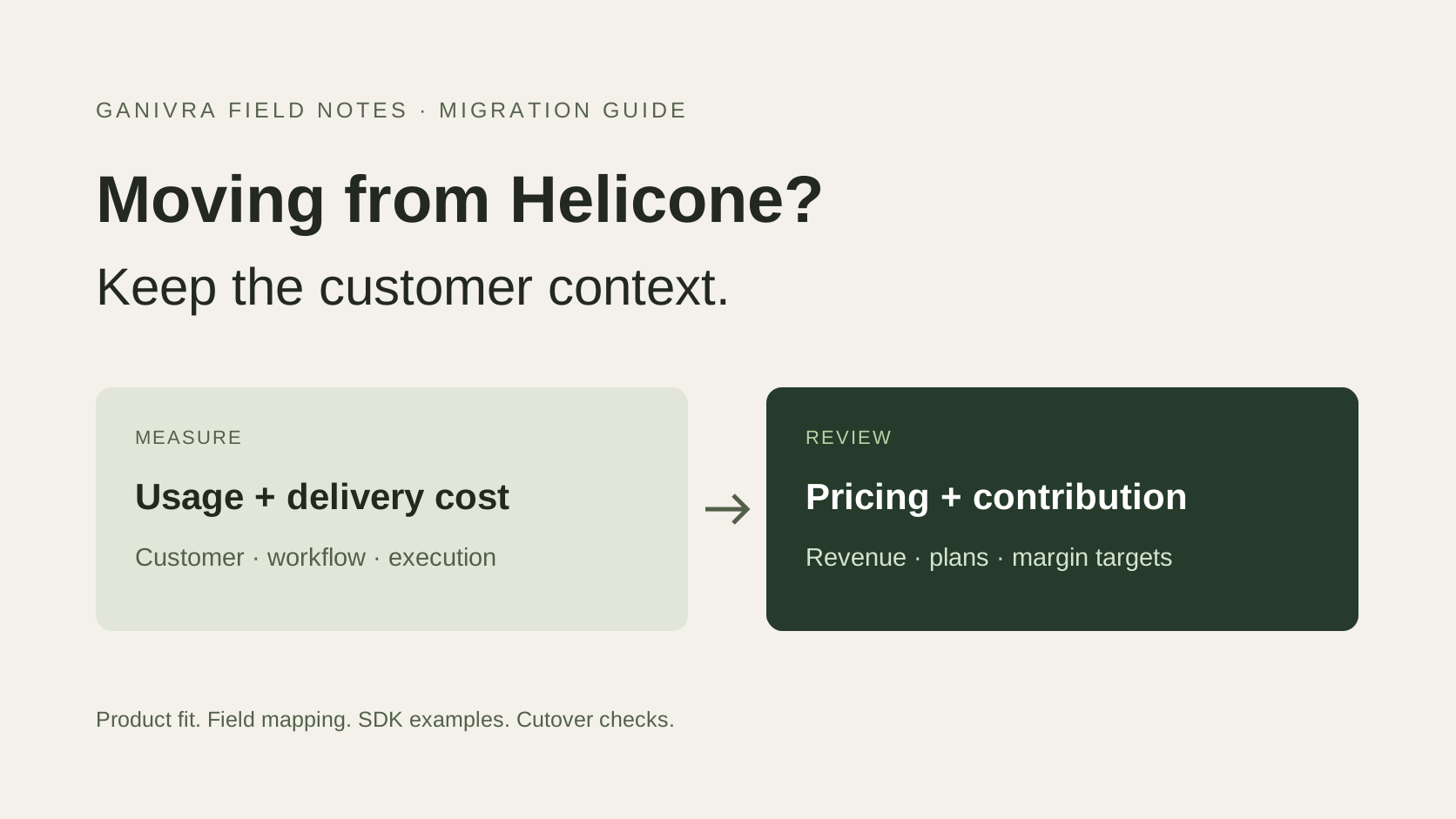
Ganivra is an option for Helicone users who need customer cost attribution, pricing inputs, and margin reviews. It records model and instrumented MCP costs alongside customer, feature, and workflow context. Your application sends metadata asynchronously; Ganivra does not proxy model traffic or store prompt and response bodies.
If you depend on Helicone for routing, caching, prompt debugging, or evaluations, retain or replace those capabilities separately. This is a migration of your economics workflow, not a promise of feature parity.
Start a free 14-day trialWhat changed at Helicone?
On March 3, 2026, Mintlify announced its acquisition of Helicone. The announcement described continued operation in maintenance mode, including security updates, bug fixes, and new models, alongside customer migration support.
Helicone has since announced it is no longer part of Mintlify (checked October 28, 2026). For teams evaluating alternatives, the practical question is which capabilities they need next.
Teams have also asked about alternatives in a Reddit discussion following the acquisition. That is a useful signal of evaluation activity, not a measure of how many companies are leaving. Choose a migration based on your requirements and verified product behavior.
This guide is written by Ganivra. Competitor facts are linked to public sources; integration guidance reflects Ganivra SDK 0.6.2.
The problem: a model bill does not explain customer economics
An AI-native startup can have healthy adoption and deteriorating contribution at the same time. A fixed subscription stays fixed while customers run longer conversations, larger documents, extra agent steps, and more retries. Aggregate token spend makes the increase visible but may not identify the commercial plan that needs attention.
The practical questions are specific: Which customer caused the increase? Which workflow changed? How much revenue belongs to the same period? Would an allowance, a pricing change, or a cheaper execution path address the problem?
Helicone can associate usage with users and custom properties. Its own export guide describes joining exported usage with revenue for segment economics. Ganivra gives teams a dedicated place to connect those cost and revenue inputs and repeat the review.
| Illustrative monthly account | At launch | After heavier usage |
|---|---|---|
| Subscription revenue | $100 | $100 |
| Recorded AI costs | $20 | $75 |
| Contribution after those costs | $80 / 80% | $25 / 25% |
The $55 reduction is a reason to investigate. It is not proof that a price increase will be accepted. Hosting, support, payment fees, and other costs must also be included before calling this full gross margin or profit.
What Ganivra does, and when it fits
Ganivra helps teams building agents, copilots, and AI applications understand what each customer costs and pays. Attach business context to usage, group instrumented steps into an execution, and use the resulting evidence in customer margin and pricing reviews.
- Attribute cost: compare customers, features, workflows, models, and instrumented MCP tools.
- Investigate expensive runs: inspect recorded steps, latency, failures, and reported retries with a shared execution ID.
- Connect revenue: use configured customer plans or reported revenue, keeping estimated and confirmed inputs distinguishable.
- Review pricing: use observed usage and contribution to evaluate allowances, overages, and plan changes.
- Broaden delivery costs: report relevant non-model costs through the delivery-cost API instead of assuming tokens are the whole cost base.
| Your Helicone requirement | Migration destination or action |
|---|---|
| Customer and workflow AI costs | Evaluate Ganivra with mapped account and execution context |
| Revenue and contribution analysis | Configure Ganivra plans or report revenue for matching periods |
| Gateway routing, fallback, caching, rate limits | Keep a gateway or implement and validate replacement behavior |
| Prompt bodies, response inspection, evaluations | Use a separate observability or evaluation workflow |
| Invoicing, balances, prepaid credits, access enforcement | Keep billing and application controls |
Ganivra budget reporting does not stop a provider request. Automatic telemetry is best-effort and fails open, so it should not be your sole billing ledger or hard spending control. See the integration guide and current plans before choosing an ingestion volume.
1. Inventory the integration before changing endpoints
List every provider, API operation, language, streaming mode, background job, and environment. Identify whether Helicone receives requests through a proxy or unified gateway, or receives asynchronous logs while your application already calls providers directly.
Search your own application for Helicone base URLs, SDK imports, and headers. Record routing rules, fallbacks, caching, rate limits, stored prompts, session trees, and any dashboard exports the team depends on. Assign each behavior a destination before removing it.
For gateway users, a direct provider client needs provider credentials and provider-compatible model names and request parameters. A Helicone gateway key cannot authenticate directly to a model provider. For asynchronous logging users, the provider endpoint may need no change at all.
Keep migration and provider API changes separate where possible. An existing Chat Completions application does not need to switch to Responses just to measure costs: SDK 0.6.2 captures synchronous Chat Completions automatically, and the explicit event path covers the rest.
2. Preserve history and record a baseline
Use Helicone’s documented export tooling to retain the time range needed for your review. It documents JSON, JSONL, and CSV exports, date and property filters, and a metadata-only option. Confirm current permissions, retention, and CLI options for your account.
For an economics archive, retain request identifiers, timestamps, provider and model, usage counts, cost provenance, status, latency, customer properties, and session identifiers. Keep request and response bodies out of the Ganivra migration dataset. Store any separately required debugging archive under your existing access and retention policies.
Save baseline counts and token totals by provider, day, and customer, plus unassigned records and cache hits. Capture the date range and timezone. Ganivra has no native Helicone importer: an export is an archive until you deliberately transform and validate it.
3. Map users, accounts, sessions, and plans deliberately
Helicone documents user and custom-property headers in its header reference, and session grouping in its session documentation. These concepts need a semantic mapping; renaming fields alone can produce misleading customer totals.
| Existing context | Ganivra field | Mapping rule |
|---|---|---|
| Helicone user ID | user_id | Preserve an end-user identifier; use a separate paying account ID |
| Tenant or account custom property | customer_id | Use the authenticated billing account, not an email or browser session |
| Session ID | conversation_id or execution_id | A conversation can contain multiple separately billed actions |
| Feature / workflow properties | feature, workflow | Use stable product labels |
| Plan property | plan_key | Match a plan configured in Ganivra |
| Prompt identity | prompt_id, prompt_version | Identifiers only; never prompt text |
Use one execution for one customer action, with model and tool steps sharing its ID. Preserve explicit parent-step relationships when needed; a session path does not automatically become a Ganivra execution tree. Leave unknown customer assignments visible instead of putting them into an invented paying account.
4. Instrument one representative workflow
Create a Ganivra workspace and ingestion key, then start in staging with a successful request, a failed request, and a multi-step action. Store keys in environment variables. Python 3.10 or newer is required.
python -m pip install "ganivra==0.6.2" openaiThe following example is for synchronous, non-streaming OpenAI Responses. Set GANIVRA_API_KEY, OPENAI_API_KEY, and OPENAI_MODEL in your environment. Choose a model available to your provider account.
import os
import ganivra
from openai import OpenAI

ganivra.init(
    api_key=os.environ["GANIVRA_API_KEY"],
    environment="staging",
)
# Direct provider endpoint for this example, not a Helicone gateway.
client = OpenAI(
    api_key=os.environ["OPENAI_API_KEY"],
    base_url="https://api.openai.com/v1",
)

with ganivra.trace(
    application="support-product",
    customer_id="tenant_demo",  # Use authenticated account ID in production.
    user_id="user_demo",
    conversation_id="conversation_demo",
    workflow="support_answer",
    feature="support_agent",
    plan_key="growth",  # Configure this plan in Ganivra separately.
):
    response = client.responses.create(
        model=os.environ["OPENAI_MODEL"],
        input="Explain our refund policy simply.",
    )

# Give this short-lived script time to deliver queued metadata.
if not ganivra.flush(timeout=5.0):
    print("Telemetry did not finish flushing; check ingestion before cutover.")
Initialization comes before client creation. The trace carries metadata; the model input still goes directly to the provider. Removing a gateway also removes its caching and controls unless you have replaced them, so use this direct-provider example only after completing the dependency inventory.
| Provider path in SDK 0.6.2 | Capture method |
|---|---|
| OpenAI Responses, synchronous and non-streaming | Automatic after initialization |
| OpenAI Chat Completions, synchronous (streaming included) | Automatic after initialization; streams need stream_options={"include_usage": True} |
| Async Chat Completions; async or streaming Responses | Explicit events with actual provider usage |
| Claude Messages, sync / async / streaming | Automatic with ganivra[anthropic] |
| Other providers and languages | Explicit SDK client or REST event submission |
| MCP tools | ganivra.mcp_call or explicit REST events |
For explicit ingestion, use ganivra.Client and events.create, or send the documented event payload to POST /v1/events. Include stable event and step IDs, the actual occurrence timestamp, model and provider, usage, status, and customer attributes. Follow the integration reference for the complete contract. Explicit writes require acknowledgement and application error handling; they do not use the automatic best-effort queue.
Do not both auto-capture a call and manually submit it. For streaming calls, confirm usage is available on completion and handle interrupted streams without inventing token counts. Actual additional model attempts need distinct step IDs; do not assume every internal provider-SDK retry is separately captured.
5. Connect revenue and the rest of delivery cost
Cost attribution is only the first half of the review. Configure the customer’s pricing plan and effective dates, or report revenue facts through the supported revenue and transaction APIs. Keep the account identifier consistent across telemetry and revenue. A plan_key tag alone does not create a plan or prove that payment occurred.
Match the reporting period, currency, and treatment of refunds. Avoid counting both plan-derived revenue and the same payment as separate earnings. For subscriptions, allocate revenue consistently across the period; cash received and revenue attributable to a period can differ.
Include instrumented MCP fees and report telephony, speech, search, OCR, compute, or other relevant delivery costs when they matter. If a rate is unknown, resolve it or keep it marked unpriced. Do not turn missing costs into zero just to complete a chart.
Then review a real account: identify the expensive workflow, compare its recorded costs with revenue, and choose an operational or pricing change to evaluate. Read the subscription pricing guide for allowance and heavy-usage analysis.
6. Validate the numbers, then cut over gradually
Run a representative overlap period before retiring existing logging. Where your integration permits, observe the same requests in both systems rather than issuing duplicate paid model calls. Check gateway behavior separately from telemetry behavior.
- Coverage: successful, failed, streamed, background, and multi-step requests are represented as intended.
- Identity: customer, plan, workflow, and execution links match the source application.
- Uniqueness: each actual model attempt is recorded once; delivery retries reuse stable IDs.
- Usage: compare input, output, and cached tokens over the same time window and model set.
- Cost: investigate contract rates, cache treatment, rounding, provider adjustments, and unpriced models.
- Revenue: matching periods and account assignments produce explainable contribution figures.
- Operations: test timeouts, fallback, cache hits, rate limits, and the loss of the telemetry endpoint.
A gateway cache hit may return a response without a fresh provider call. Counting its reported tokens as new paid inference can overstate cost. Validate how your chosen route reports that case before comparing totals. Likewise, model totals and provider invoices may differ because of credits or billing adjustments; reconcile the differences rather than forcing equality.
Set an acceptance threshold appropriate to your event volume and reporting needs, with no unexplained missing accounts or duplicates. Move a small traffic cohort, monitor it, and expand only after the checks pass. Keep endpoint configuration and the previous instrumentation available for rollback until the new path is stable.
After acceptance, remove obsolete Helicone headers, SDK hooks, and credentials from the paths you migrated. Retire gateway infrastructure only when all its dependent behaviors have a tested destination. Keep the agreed historical archive and record the cutover timestamp.
What about importing historical Helicone data?
The simplest first rollout starts recording new traffic and keeps the Helicone export for historical reference. A backfill is optional engineering work, not a built-in migration button.
If history is required, transform an allowlisted set of metadata into Ganivra’s event contract. Preserve original timestamps, stable source-derived identifiers, usage, and account mapping. Use separate identifiers for genuinely distinct attempts. Test a small sample for schema validity and reporting behavior before sending a larger range; confirm the receiving workspace’s limits.
Do not relabel Helicone’s estimated cost as provider_reported_cost_usd. That field is for actual provider-reported cost. Preserve original cost provenance in your archive and use appropriate historical rates or verified billing evidence when reconciling. Keep prompt bodies, response bodies, credentials, and sensitive content out of event attributes.
The SDK batch endpoint accepts up to 100 events per request. Explicit writes surface errors and do not retry automatically; implement bounded retries with the same IDs and payloads. Exclude the live-capture overlap or deduplicate it deliberately so the backfill does not double your costs.
Helicone to Ganivra: frequently asked questions
Is Ganivra a drop-in Helicone replacement?
No. Ganivra supports AI cost attribution, customer economics, and pricing reviews. It does not replace gateway routing, caching, rate-limit enforcement, prompt storage, or response evaluation. Plan those dependencies separately.
Can I import my Helicone history automatically?
There is no native Helicone importer. Keep an export as an archive, start with new traffic, or build and validate a transformation to Ganivra's event API. Do not upload raw prompt or response logs.
Does Ganivra automatically capture OpenAI Chat Completions?
Yes, from SDK 0.6.2: synchronous Chat Completions are captured automatically, streaming included, along with synchronous, non-streaming OpenAI Responses calls. Async Chat Completions, async Responses, and streaming Responses require explicit events. Claude Messages supports sync, async, and streaming with the Anthropic extra.
Can I keep Helicone while evaluating Ganivra?
You can evaluate Ganivra telemetry alongside an existing setup. Validate your exact provider and gateway combination, distinguish gateway cache hits from provider calls, and avoid sending the same model call twice to Ganivra.
Is Helicone shutting down?
The March 3, 2026 Mintlify announcement described maintenance mode and migration support. On October 28, 2026, Helicone's homepage says it is no longer part of Mintlify, with details to come. Those statements do not establish a shutdown date or a future roadmap.
Start with one customer workflow
Turn AI usage into a pricing decision.
Connect a representative workflow, attach its customer and plan, and inspect the cost behind each execution. Use that evidence for your next margin review.